如何用CKEditor 4.25.1-tls , CSS 完成 圖片自動RWD
-


- 觀看次數:449
現在看到越來越多論壇裡的圖片都沒有設定width heigh
但是還是能自動RWD(可適應式網站)
目前後臺用的是CKEditor 4.25.1-tls
於是自己嘗試了一下
前台CSS的content加入max-width: 100% !important; /* 限制圖片最大寬度不超過外層容器 */
height: auto !important; /* 高度依比例自動縮放,避免圖片變形 */後臺CKEditor 4.25.1-tls須改 config.js
JavaScript中加入// 監聽貼上事件,自動把 img 標籤內的 width 和 height 屬性或 style 拔掉
config.onPaste = function(evt) {
let data = evt.data.dataValue;
if (data) {
// 移除 width="..." 和 height="..."
data = data.replace(/<img[^>]*>/gi, function(match) {
return match.replace(/\s+(width|height)="\d+"/gi, '')
.replace(/width:\s*\d+px;?/gi, '')
.replace(/height:\s*\d+px;?/gi, '');
});
evt.data.dataValue = data;
}
};JavaScript最底下加入
// 確保事件能綁定到編輯器實例上
CKEDITOR.on('instanceReady', function(ev) {
ev.editor.on('paste', ev.editor.config.onPaste);
});完成如
CKEDITOR.editorConfig = function( config ) {
// Define changes to default configuration here. For example:
// config.language = 'fr';
// config.uiColor = '#AADC6E';
// Remove some buttons provided by the standard plugins, which are
// not needed in the Standard(s) toolbar.
config.removeButtons = 'Underline,Subscript,Superscript';// Set the most common block elements.
config.format_tags = 'p;h1;h2;h3;pre';// Simplify the dialog windows.
config.removeDialogTabs = 'image:advanced;link:advanced';
baseurl = 'https://'+window.location.hostname;
config.filebrowserBrowseUrl = baseurl+'/includes/ckfinder/ckfinder.html';
config.filebrowserImageBrowseUrl = baseurl+'/includes/ckfinder/ckfinder.html?Type=Images';
config.filebrowserFlashBrowseUrl = baseurl+'/includes/ckfinder/ckfinder.html?Type=Flash';
config.filebrowserUploadUrl = baseurl+'/includes/ckfinder/core/connector/php/connector.php?command=QuickUpload&type=Files'; //可上傳一般檔案
config.filebrowserImageUploadUrl = baseurl+'/includes/ckfinder/core/connector/php/connector.php?command=QuickUpload&type=Images';//可上傳圖檔
config.filebrowserFlashUploadUrl = baseurl+'/includes/ckfinder/core/connector/php/connector.php?command=QuickUpload&type=Flash';//可上傳Flash檔案
// ==========================================
// 新增以下設定:允許貼上不帶寬高的標籤,並在貼上時過濾寬高
// ==========================================
config.allowedContent = true;// 監聽貼上事件,自動把 img 標籤內的 width 和 height 屬性或 style 拔掉
config.onPaste = function(evt) {
let data = evt.data.dataValue;
if (data) {
// 移除 width="..." 和 height="..."
data = data.replace(/<img[^>]*>/gi, function(match) {
return match.replace(/\s+(width|height)="\d+"/gi, '')
.replace(/width:\s*\d+px;?/gi, '')
.replace(/height:\s*\d+px;?/gi, '');
});
evt.data.dataValue = data;
}
};};
// 確保事件能綁定到編輯器實例上
CKEDITOR.on('instanceReady', function(ev) {
ev.editor.on('paste', ev.editor.config.onPaste);
});
完成
展示圖:
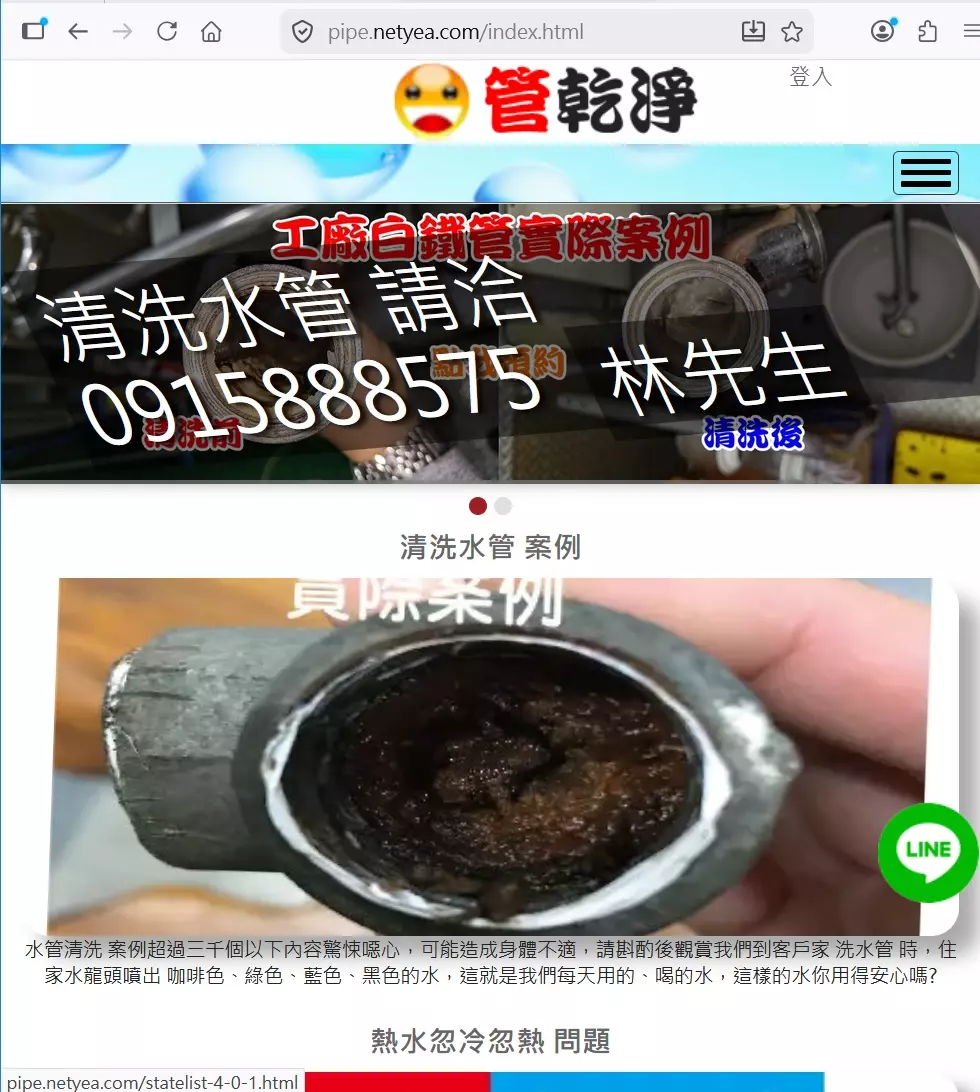
展示網址:https://pipe.netyea.com/- CKeditor, CSS, RWD, SEO
- 相關文章:
